Narcolepsy

What the app does

Four areas and a driving mode. The daily effort stays under a minute, because a diary that takes effort does not get kept on drowsy days.

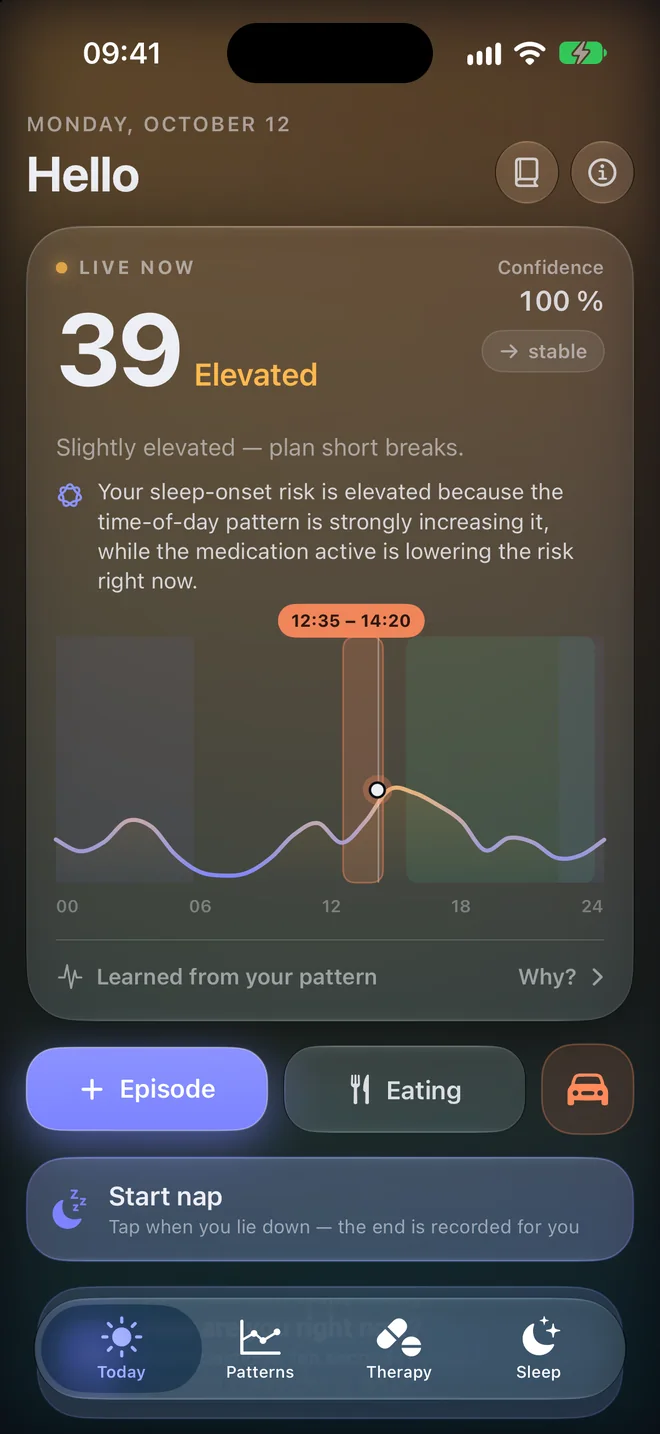
The Today screen: risk value 39, elevated, with the day curve and a marked good window below.

Today: your risk, now and across the day

A number from 0 to 100 estimates how likely you are to get drowsy or fall asleep right now. The curve below shows how the rest of the day is expected to go.

  • An early warning before your predicted high-risk times
  • Good windows for demanding tasks at a glance
  • Log an episode, meal, caffeine or nap with one tap
  • If you like, today's appointments over the curve, with a nap suggestion before an appointment in a dip
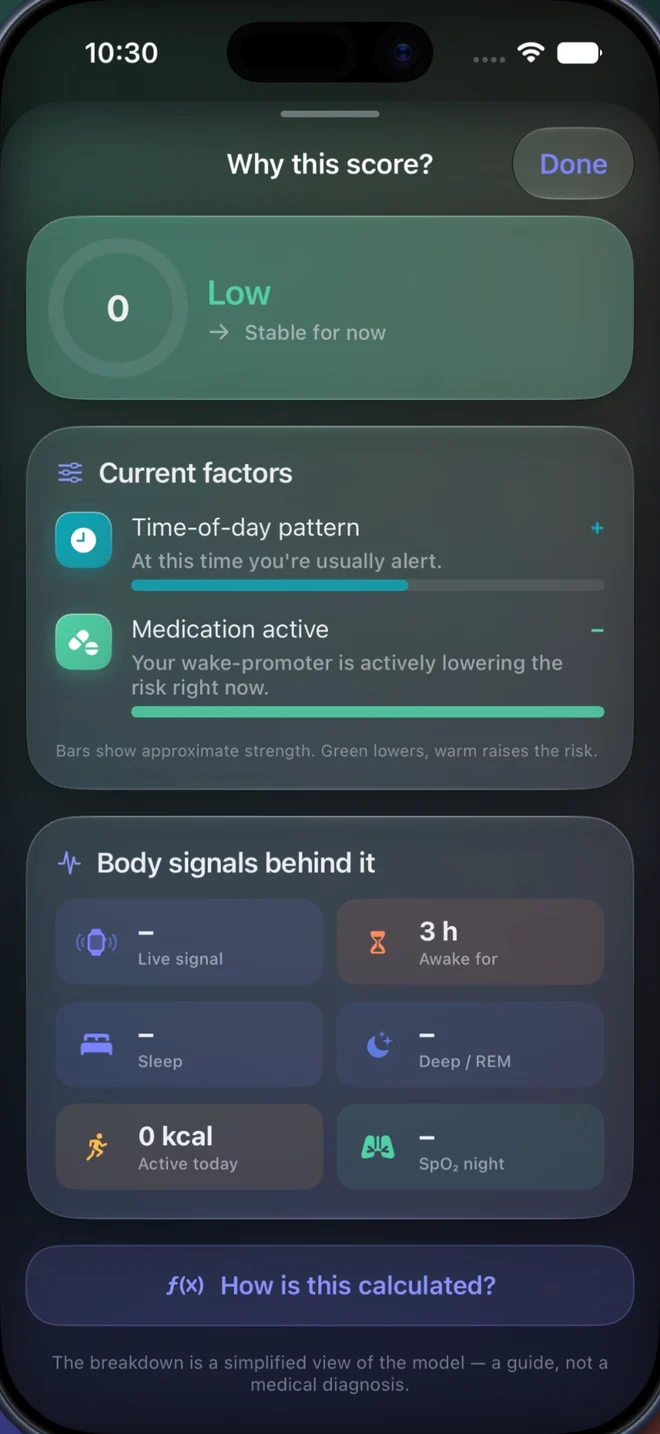
The “Why this score?” screen: the current score with the factors behind it, such as time-of-day pattern and active medication.

Why? Traceable, not a black box

For every value, the app shows what counts right now and how strongly: your time-of-day pattern, last night, meals, caffeine, medication and, with Apple Watch, heart rate and heart rate variability.

  • A confidence value tells you how much of your own data the estimate rests on
  • Calibrate the value with “Fits”, “Too high” or “Too low”
  • On devices with Apple Intelligence, one sentence in plain language sums it up, written on the device
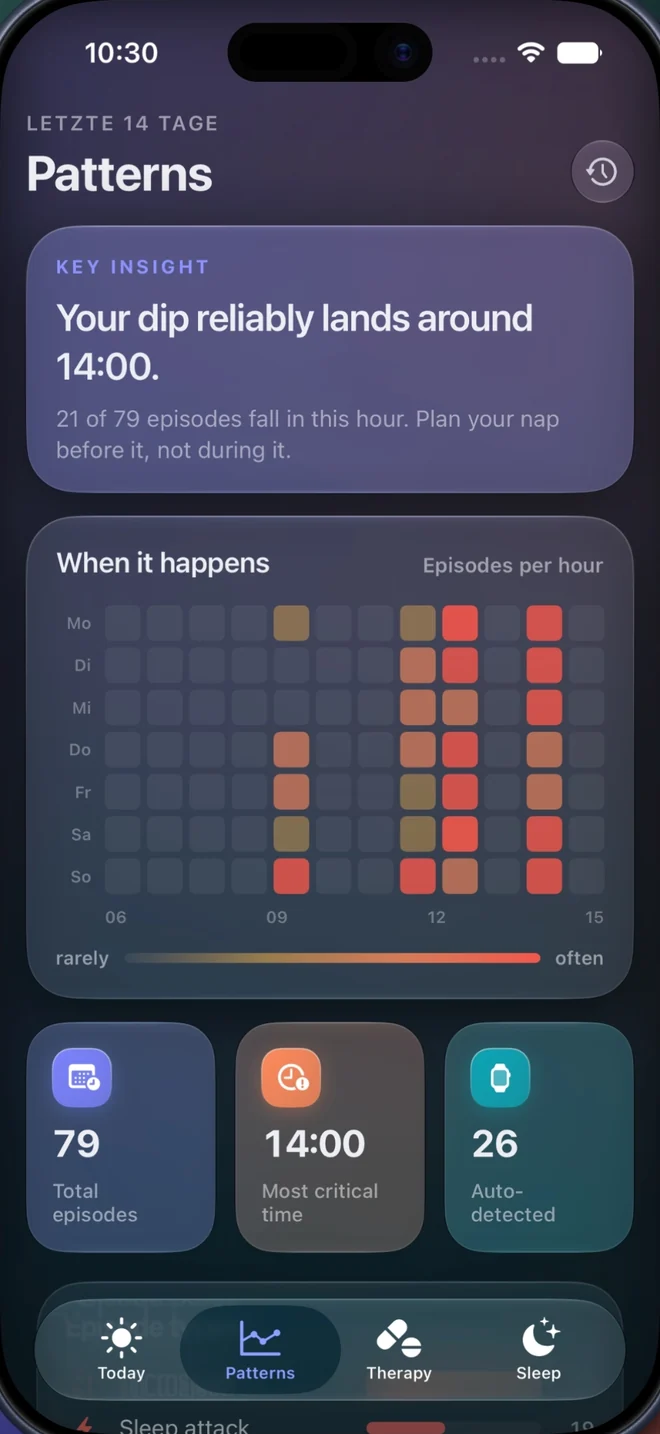
The Patterns screen: key insight, a map of episodes by weekday and hour, and totals.

Patterns: what the last 14 days show

The key insight sits at the top in one sentence. Below it, the app checks itself and shows what share of your episodes fell into hours the curve had marked as elevated.

  • Episodes by weekday and hour
  • Compare weeks and months
  • After a change of medication, dose or intake time: the two weeks before against the two weeks after
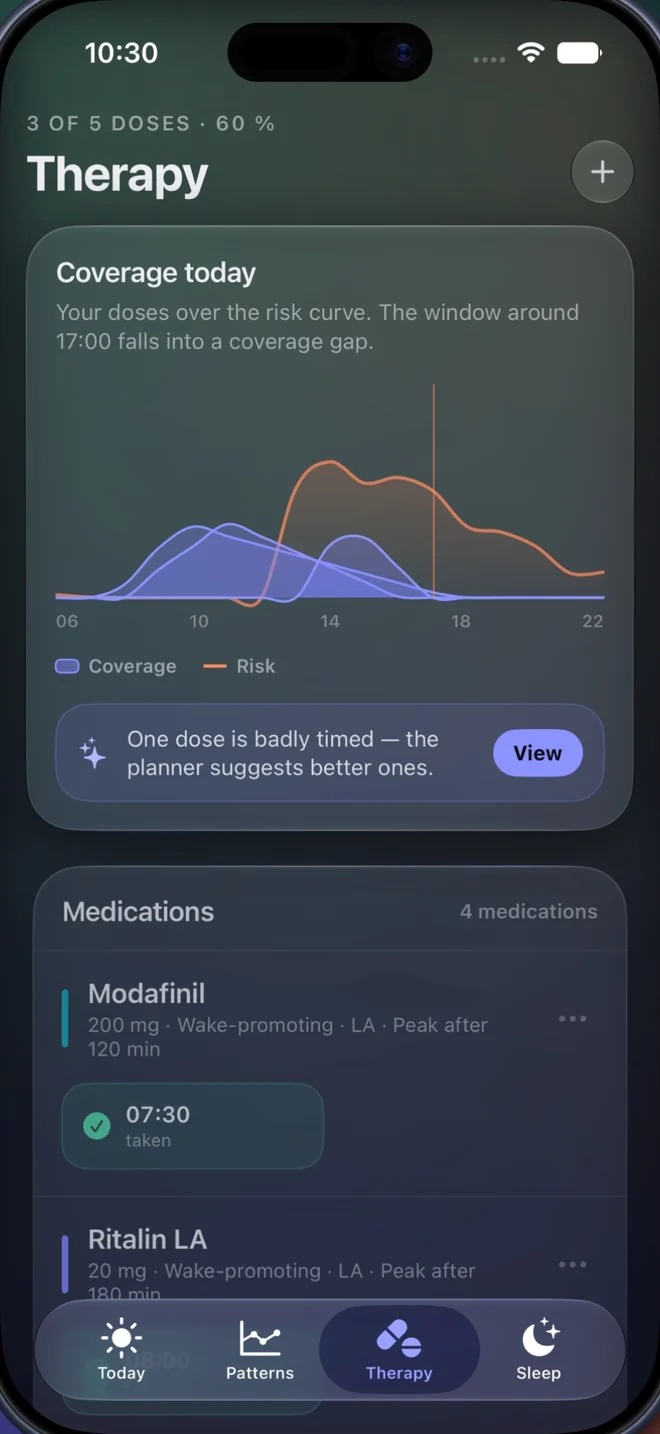
The Therapy screen: coverage of the doses over the risk curve and the list of medications with intake times.

Therapy: coverage over your curve

The effect windows of all doses lie over the day's risk curve. You can see whether your afternoon dip is covered or a gap remains.

  • A catalogue of common narcolepsy medications, including extended-release forms, or add your own
  • A reminder at the planned time, with “Taken” right in the notification
  • As-needed medication and extra doses
  • Try out different intake times and see at once how the curve changes

The effect curve is a model based on published reference values, not a measurement. The app does not change any dosage. Only change intake times in consultation with your doctor.

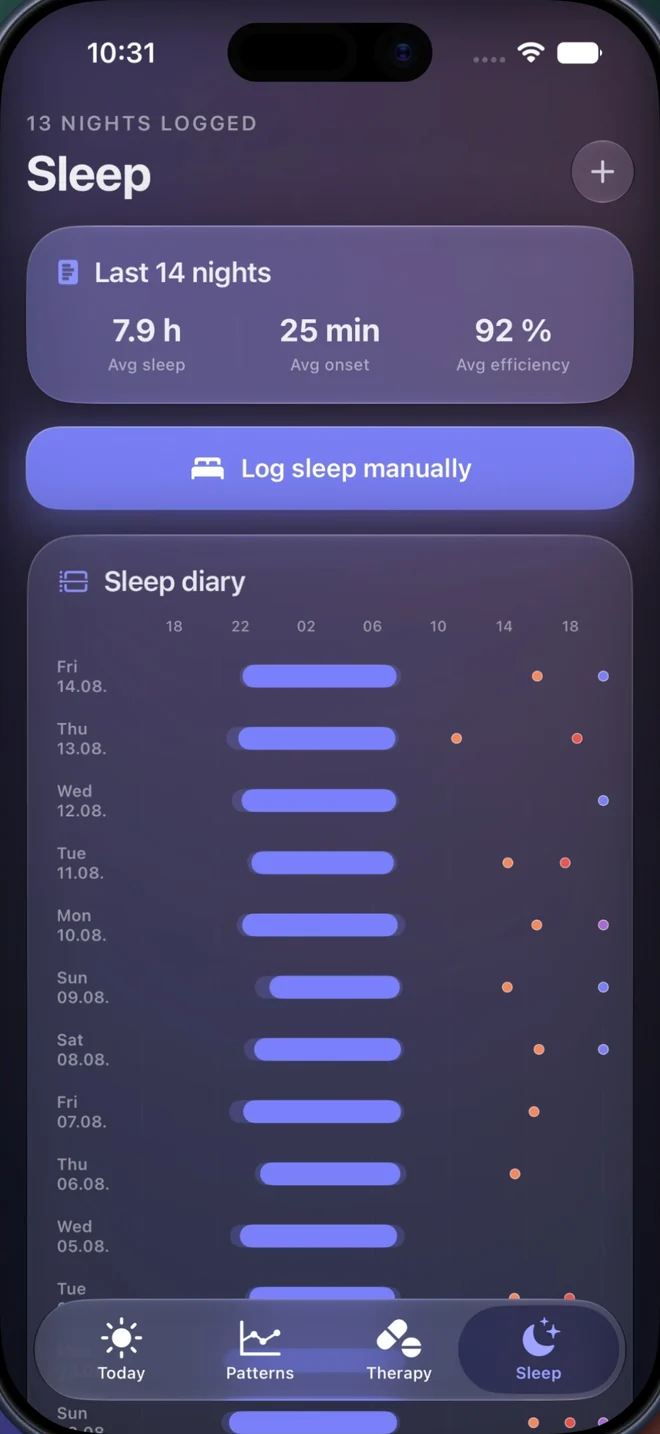
The Sleep screen: averages of the last 14 nights and the sleep diary with nights as bars and episodes as dots.

Sleep: diary and a report for your appointment

Each night appears as a bar with bedtime, sleep and wake-up. The episodes of the following day sit next to it. Over weeks, you can see whether a bad night shapes the next day.

  • Nights come in automatically from Apple Health or with two taps: “I'm going to bed” and “I'm up”
  • A weekly Epworth Sleepiness Scale, if you like
  • Nap timer with an alarm after 15, 20, 30 or 45 minutes
  • The report as text or PDF to share, print or send ahead
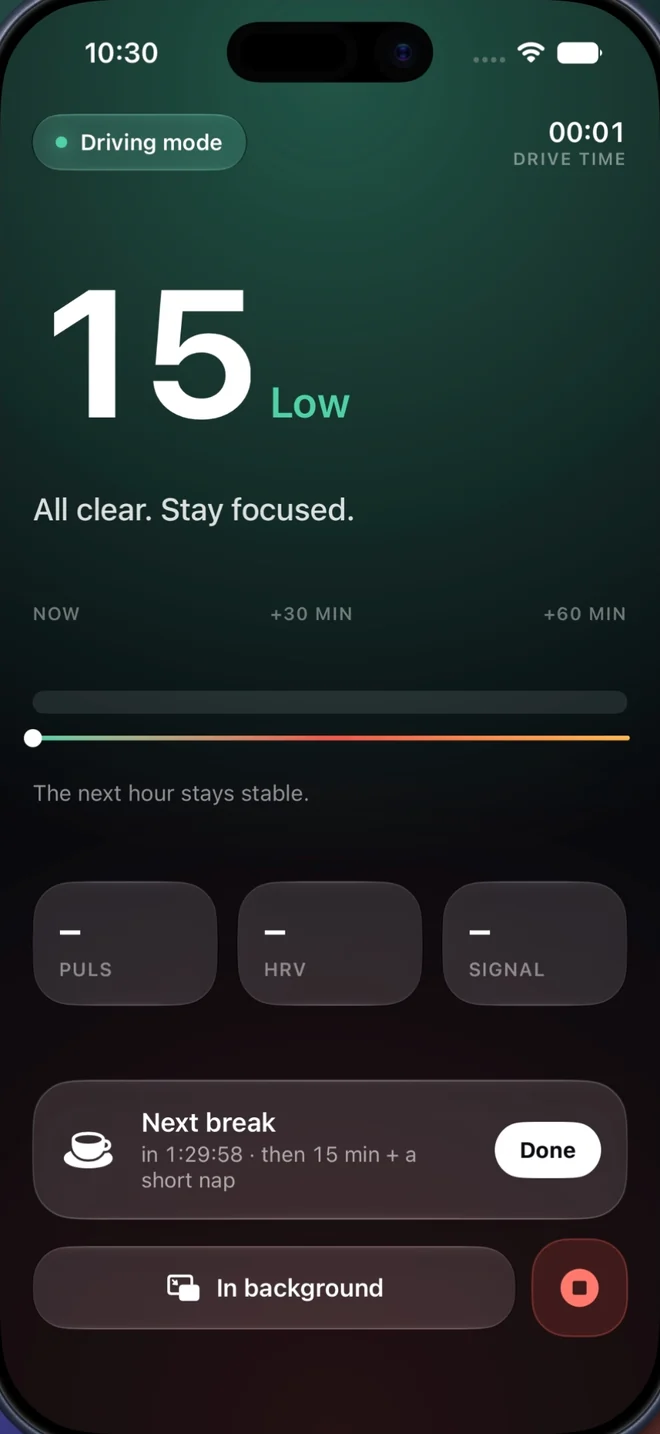
The Driving mode screen: current risk, the next hour's trend and the next break.

Driving mode: watch more closely, remind you of breaks

For many people with narcolepsy, driving is the most delicate situation of the day. Driving mode is deliberately restrained: it warns earlier and reminds you to take breaks.

  • Before every drive, a notice showing your current risk. When the risk is high, the app explicitly advises against driving
  • A break reminder every 90 minutes, with a suggestion for a short nap
  • A notification when a risk phase is coming up
  • Risk and driving time in the Dynamic Island, without opening the app

No app can judge whether you are fit to drive. Only medical specialists can. Driving mode is an aid for people who drive with their doctor's agreement. If warning signs appear: pull over.

The day starts and ends with three taps at most

Everything else happens in the background or when asked.

In the app

  • EpisodeChoose type and intensity, done. Duration and time are pre-filled.
  • Nap“Start nap” when you lie down, one more tap when you wake up.
  • NightTwo taps or none at all: with Apple Watch, the night comes from Health.
  • MedicationA reminder at the planned time; tick it off in the notification.
  • Check-inOnce a day, “How are you right now?”. Optional.

Outside the app

  • WidgetsDay curve and nap button on the Home Screen and Lock Screen.
  • Apple WatchComplications showing your sleep-onset risk. Heart rate and HRV feed into the estimate.
  • SiriShortcuts for starting a nap and more.
  • Control CenterA control for the nap, without opening the app.
  • No watchThe app also works with your entries alone.

At hand outside the app, too

To glance at your risk or start a nap, you do not have to open the app.

39 Elevated
Complication on Apple Watch
Sleep-onset risk 39 Elevated Start nap
Widget with day curve and nap button
38 Elevated 00:42
Driving mode in the Dynamic Island

Schematic illustrations.

Try it

For iPhone and Apple Watch, in English and German.

Download on the App Store

Important: Narcolepsy is not a medical device and does not provide a diagnosis. The app gives no treatment advice and does not judge whether you are fit to drive. Decisions about medication and driving are for you and your doctor.